Kituwa IT · Field guide
Containers vs virtual machines
Containers and virtual machines both isolate workloads, but they isolate different things. A container packages an… Practical checks and official references.
Containers and virtual machines both isolate workloads, but they isolate different things.
This guide expands the Facebook post into a practical workflow for beginners, home-lab users, and small-business owners who want to understand the trade-offs before changing a working system.
What this guide covers
- Containers vs virtual machines
- Different isolation, different jobs.
- Containers
- Virtual machines
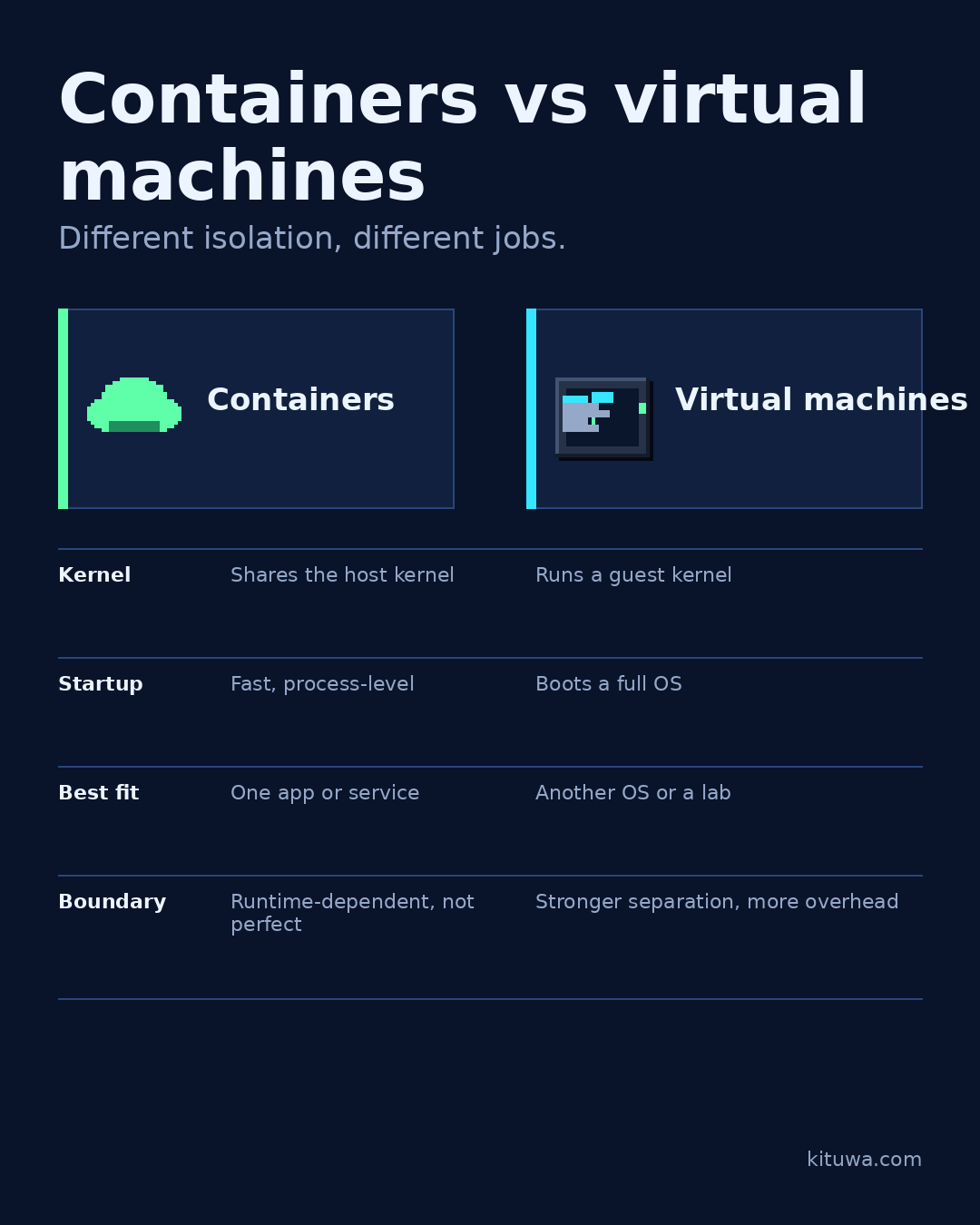
- Kernel — Shares the host kernel — Runs a guest kernel
- Startup — Fast, process-level — Boots a full OS
Why it matters
The goal is not to memorize a product name or copy a command blindly. It is to understand what the change affects, verify it against an official reference, test it on spare hardware or a virtual machine when possible, and keep a rollback path.
A practical walkthrough
Check the assumptions
A container packages an app with its dependencies and shares the host kernel. It starts quickly and is a good fit for one service: a web app, a database, a dashboard. Isolation depends on the runtime and configuration; it is not a perfect security boundary.
Step 2: what to check
A virtual machine runs a complete guest operating system with its own kernel. It is a good fit when you need a different OS, stronger separation, or a disposable lab. It uses more resources and takes longer to start.
Check the container state
Typical beginner uses: containers for apps on one host; VMs for trying another OS or testing risky changes.
Check the container state
Neither is universally safer. A container shares the host kernel, so kernel-level isolation is different from a VM; a VM carries a full OS to patch and boot. Patch both, limit privileges, and back up the data that matters.
Your turn
Do you want to run an app or experiment with an entire OS?
What to verify
- Use the official documentation for the exact version you run.
- Test on a spare device or virtual machine before changing a working system.
- Keep a backup and a rollback path.
- Record what changed and how you verified it.
Common mistakes
- Deleting a container without checking its volumes and bind mounts.
- Assuming a restart fixed the cause because the service came back.
- Giving broad access to the Docker socket or host.
Quick checklist
- ☐ Different isolation, different jobs.
- ☐ Containers
- ☐ Virtual machines
- ☐ Kernel — Shares the host kernel — Runs a guest kernel
- ☐ Startup — Fast, process-level — Boots a full OS
- ☐ Best fit — One app or service — Another OS or a lab
FAQ
What is the first step?
Containers and virtual machines both isolate workloads, but they isolate different things.
What should I avoid?
Deleting a container without checking its volumes and bind mounts.
Where can I verify the current details?
Use the official references below; versions and interfaces change.
References
Related guides
Need help?
If you want a second opinion on the setup or the rollback plan, Kituwa can review it with you. Start with the checklist above; it makes the conversation more useful.