Kituwa IT · Field guide
Read a Compose file like a map
A Compose file is a map of a small application stack. Read it in five sections. Practical checks and official references.
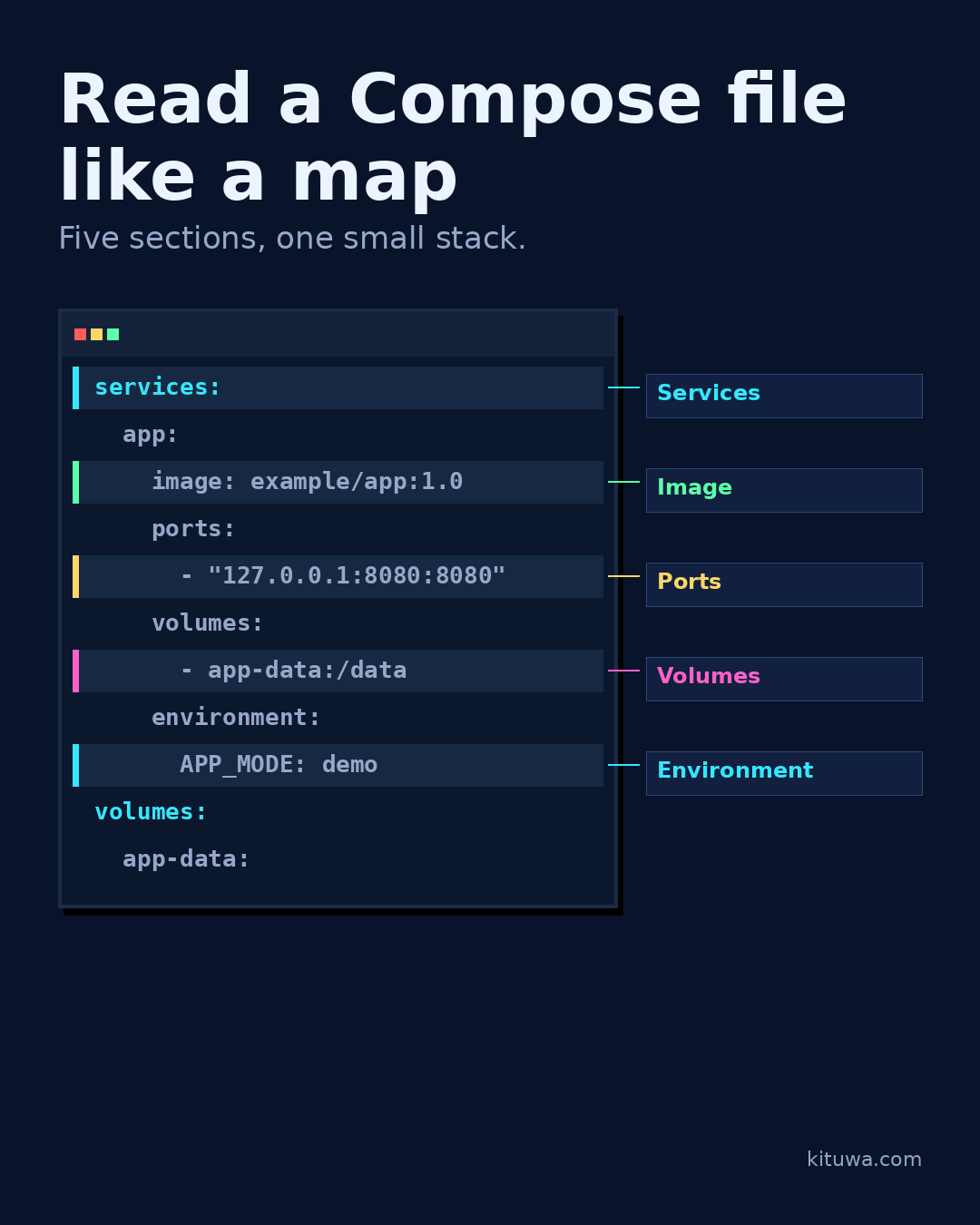
A Compose file is a map of a small application stack. Read it in five sections.
This guide expands the Facebook post into a practical workflow for beginners, home-lab users, and small-business owners who want to understand the trade-offs before changing a working system.
What this guide covers
- Read a Compose file like a map
- Five sections, one small stack.
- services: the containers
- image: what runs
- ports: who can reach it
- volumes: what persists
Why it matters
The goal is not to memorize a product name or copy a command blindly. It is to understand what the change affects, verify it against an official reference, test it on spare hardware or a virtual machine when possible, and keep a rollback path.
A practical walkthrough
Check services
services: the containers you want. Each name is a service.
image: the image to run. Pin a version when you need reproducibility.
ports: host-to-container port mapping. Exposing a port changes who can reach it.
volumes: persistent data. A named volume or bind mount survives container replacement.
environment: configuration passed to the container. Keep secrets out of the file; use an env file or secret store.
Check `yaml
services: app: image: example/app:1.0 ports: - "127.0.0.1:8080:8080" volumes: - app-data:/data environment: APP_MODE: demo volumes: app-data:`
Harmless illustrative excerpt (placeholders, not production):
services:
app:
image: example/app:1.0
ports:
- "127.0.0.1:8080:8080"
volumes:
- app-data:/data
environment:
APP_MODE: demo
volumes:
app-data:
Check 127.0.0.1
127.0.0.1 limits the host binding to localhost in this example. It is not a complete security plan. Compose can also define networks and dependencies; start with these five sections before adding complexity. The file describes intent; it does not prove the image is trustworthy or that the host is hardened. Ask what each service writes to disk before you deploy it.
Your turn
Which section would you check first?
What to verify
- Use the official documentation for the exact version you run.
- Test on a spare device or virtual machine before changing a working system.
- Keep a backup and a rollback path.
- Record what changed and how you verified it.
Common mistakes
- Deleting a container without checking its volumes and bind mounts.
- Assuming a restart fixed the cause because the service came back.
- Giving broad access to the Docker socket or host.
Quick checklist
- ☐ Five sections, one small stack.
- ☐ services: the containers
- ☐ image: what runs
- ☐ ports: who can reach it
- ☐ volumes: what persists
- ☐ environment: configuration, no secrets
FAQ
What is the first step?
A Compose file is a map of a small application stack.
What should I avoid?
Deleting a container without checking its volumes and bind mounts.
Where can I verify the current details?
Use the official references below; versions and interfaces change.
References
Related guides
Need help?
If you want a second opinion on the setup or the rollback plan, Kituwa can review it with you. Start with the checklist above; it makes the conversation more useful.