Kituwa IT · Field guide
Desktop environment vs distribution
A distribution is not the same thing as a desktop environment. Think of a house. Practical checks and official references.
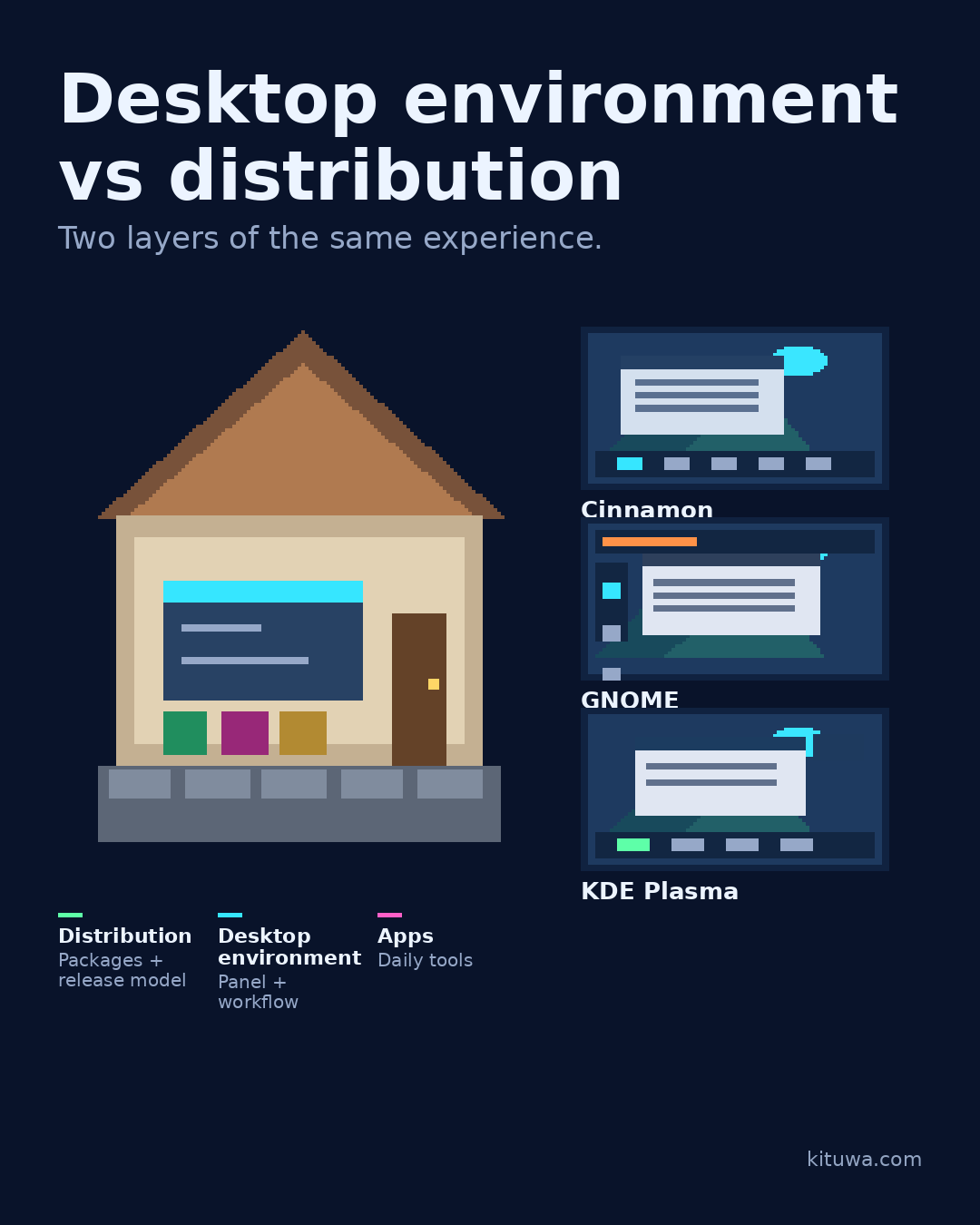
A distribution is not the same thing as a desktop environment.
This guide expands the Facebook post into a practical workflow for beginners, home-lab users, and small-business owners who want to understand the trade-offs before changing a working system.
What this guide covers
- Desktop environment vs distribution
- Two layers of the same experience.
- Distribution — Packages + release model
- Desktop environment — Panel + workflow
- Apps — Daily tools
- Cinnamon
Why it matters
The goal is not to memorize a product name or copy a command blindly. It is to understand what the change affects, verify it against an official reference, test it on spare hardware or a virtual machine when possible, and keep a rollback path.
A practical walkthrough
Use the supported update path
Think of a house. The distribution is the foundation and utilities: package management, repositories, release cadence, default security, and update policy. The desktop environment is the interior: panel, menu, window behavior, settings, and bundled apps.
Verify the key path
Cinnamon, Linux Mint's flagship desktop, emphasizes a traditional layout. GNOME offers a keyboard- and gesture-oriented workflow. KDE Plasma is highly configurable. All three can run on more than one distribution, and distributions can offer more than one desktop.
Step 3: what to check
So “Which Linux?” is two questions: which foundation, and which interior? A familiar desktop can make a new distribution easier; a well-supported distribution can make an unfamiliar desktop safer.
Use the supported update path
Distribution defaults also shape what you get out of the box: update policy, security settings, driver choices, and software sources. The desktop can be changed later, but the foundation is harder to replace. That is why compatibility and support should come before visual preference.
Step 5: what to check
Pick the combination, not a ranking.
Your turn
Which would you choose first: a familiar interior or a foundation your vendor supports?
What to verify
- Use the official documentation for the exact version you run.
- Test on a spare device or virtual machine before changing a working system.
- Keep a backup and a rollback path.
- Record what changed and how you verified it.
Common mistakes
- Changing more than one thing at a time.
- Skipping the official documentation for your version.
- Assuming a warning means you should delete or reset data.
- Not recording what you changed or how you verified it.
Quick checklist
- ☐ Two layers of the same experience.
- ☐ Distribution — Packages + release model
- ☐ Desktop environment — Panel + workflow
- ☐ Apps — Daily tools
- ☐ Cinnamon
- ☐ GNOME
FAQ
What is the first step?
A distribution is not the same thing as a desktop environment.
What should I avoid?
Changing more than one thing at a time.
Where can I verify the current details?
Use the official references below; versions and interfaces change.
References
Related guides
Need help?
If you want a second opinion on the setup or the rollback plan, Kituwa can review it with you. Start with the checklist above; it makes the conversation more useful.