Kituwa IT · Field guide
Mesh or Ethernet-backed access points?
Mesh Wi-Fi and Ethernet-backed access points both add coverage, but they trade off differently. A mesh system is easy… Practical checks and official refere…
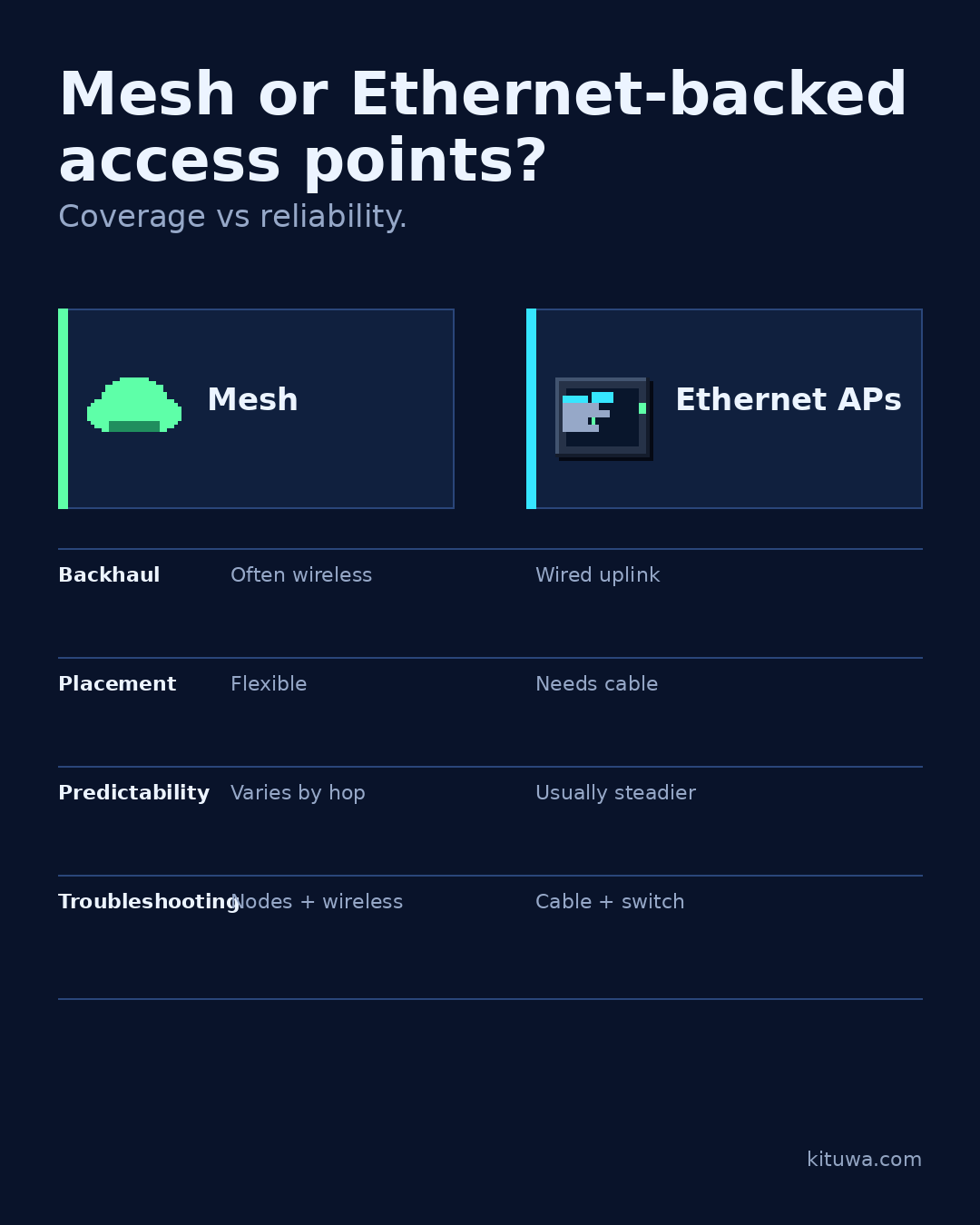
Mesh Wi-Fi and Ethernet-backed access points both add coverage, but they trade off differently.
This guide expands the Facebook post into a practical workflow for beginners, home-lab users, and small-business owners who want to understand the trade-offs before changing a working system.
What this guide covers
- Mesh or Ethernet-backed access points?
- Coverage vs reliability.
- Mesh
- Ethernet APs
- Backhaul — Often wireless — Wired uplink
- Placement — Flexible — Needs cable
Why it matters
The goal is not to memorize a product name or copy a command blindly. It is to understand what the change affects, verify it against an official reference, test it on spare hardware or a virtual machine when possible, and keep a rollback path.
A practical walkthrough
Step 1: what to check
A mesh system is easy to place and often uses a wireless backhaul. It can be the practical choice when running cable is impossible, but each hop can add latency and reduce throughput.
Step 2: what to check
Ethernet-backed access points use a wired uplink. They are usually more predictable and easier to troubleshoot, but they require cable and a switch.
Step 3: what to check
Check: can you run one cable? How many rooms need coverage? What happens when one node fails? Do you need VLANs or guest isolation?
Your turn
Which constraint matters more: cable or coverage?
What to verify
- Use the official documentation for the exact version you run.
- Test on a spare device or virtual machine before changing a working system.
- Keep a backup and a rollback path.
- Record what changed and how you verified it.
Common mistakes
- Changing more than one thing at a time.
- Skipping the official documentation for your version.
- Assuming a warning means you should delete or reset data.
- Not recording what you changed or how you verified it.
Quick checklist
- ☐ Coverage vs reliability.
- ☐ Mesh
- ☐ Ethernet APs
- ☐ Backhaul — Often wireless — Wired uplink
- ☐ Placement — Flexible — Needs cable
- ☐ Predictability — Varies by hop — Usually steadier
FAQ
What is the first step?
Mesh Wi-Fi and Ethernet-backed access points both add coverage, but they trade off differently.
What should I avoid?
Changing more than one thing at a time.
Where can I verify the current details?
Use the official references below; versions and interfaces change.
References
Related guides
Need help?
If you want a second opinion on the setup or the rollback plan, Kituwa can review it with you. Start with the checklist above; it makes the conversation more useful.