Kituwa IT · Field guide
Mint vs Arch without the arguments
Mint and Arch are built for different goals. That is not an intelligence contest. Practical checks and official references.
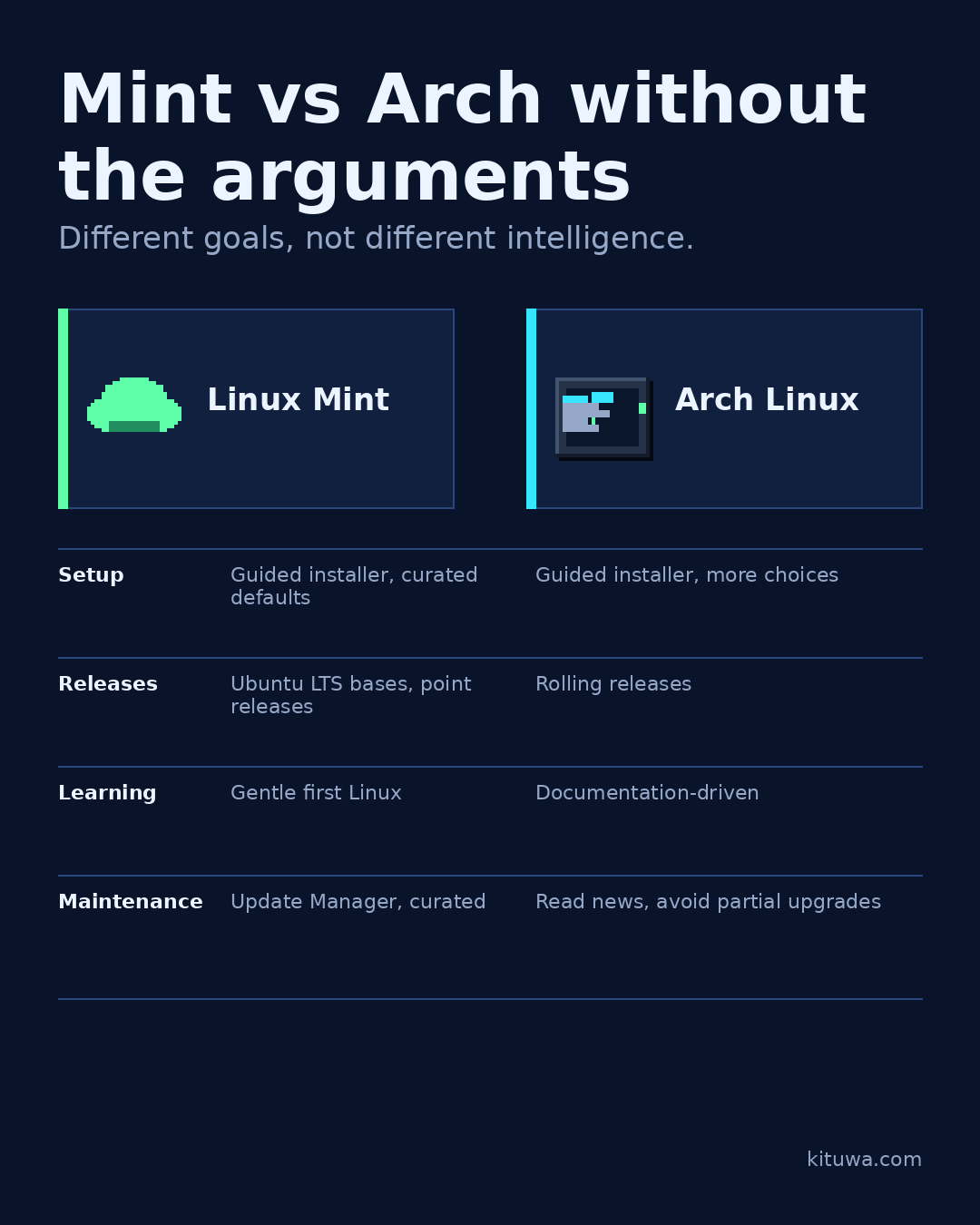
Mint and Arch are built for different goals. That is not an intelligence contest.
This guide expands the Facebook post into a practical workflow for beginners, home-lab users, and small-business owners who want to understand the trade-offs before changing a working system.
What this guide covers
- Mint vs Arch without the arguments
- Different goals, not different intelligence.
- Linux Mint
- Arch Linux
- Setup — Guided installer, curated defaults — Guided installer, more choices
- Releases — Ubuntu LTS bases, point releases — Rolling releases
Why it matters
The goal is not to memorize a product name or copy a command blindly. It is to understand what the change affects, verify it against an official reference, test it on spare hardware or a virtual machine when possible, and keep a rollback path.
A practical walkthrough
Step 1: what to check
Setup: Mint's installer and defaults get you to a working desktop quickly. Arch's guided installer helps, but you still make more choices; the wiki is part of the workflow.
Use the supported update path
Release model: Mint follows Ubuntu LTS bases and point releases. Arch is rolling; packages move continuously. Rolling means frequent updates, not automatic stability.
Step 3: what to check
Learning: Mint is a gentle first Linux; Arch exposes the pieces and expects you to read documentation. Both teach you things.
Use the supported update path
Maintenance: Mint's Update Manager and software choices are curated. Arch expects you to read news, merge configuration changes, and avoid partial upgrades.
Step 5: what to check
Official repositories versus community packaging: both use official repositories; Arch's AUR is community-maintained and should be treated accordingly. Mint's base is Ubuntu plus Mint repositories.
Step 6: what to check
Choose Mint for minimal maintenance, Arch for hands-on customization. Neither is “for smart people only”.
Your turn
Which fits your next six months?
What to verify
- Use the official documentation for the exact version you run.
- Test on a spare device or virtual machine before changing a working system.
- Keep a backup and a rollback path.
- Record what changed and how you verified it.
Common mistakes
- Changing more than one thing at a time.
- Skipping the official documentation for your version.
- Assuming a warning means you should delete or reset data.
- Not recording what you changed or how you verified it.
Quick checklist
- ☐ Different goals, not different intelligence.
- ☐ Linux Mint
- ☐ Arch Linux
- ☐ Setup — Guided installer, curated defaults — Guided installer, more choices
- ☐ Releases — Ubuntu LTS bases, point releases — Rolling releases
- ☐ Learning — Gentle first Linux — Documentation-driven
FAQ
What is the first step?
Mint and Arch are built for different goals.
What should I avoid?
Changing more than one thing at a time.
Where can I verify the current details?
Use the official references below; versions and interfaces change.
References
Related guides
Need help?
If you want a second opinion on the setup or the rollback plan, Kituwa can review it with you. Start with the checklist above; it makes the conversation more useful.