Kituwa IT · Field guide
Paperless document intake
Paperless-ngx turns scanned documents into a searchable archive. The intake workflow matters as much as the software. Practical checks and official referen…
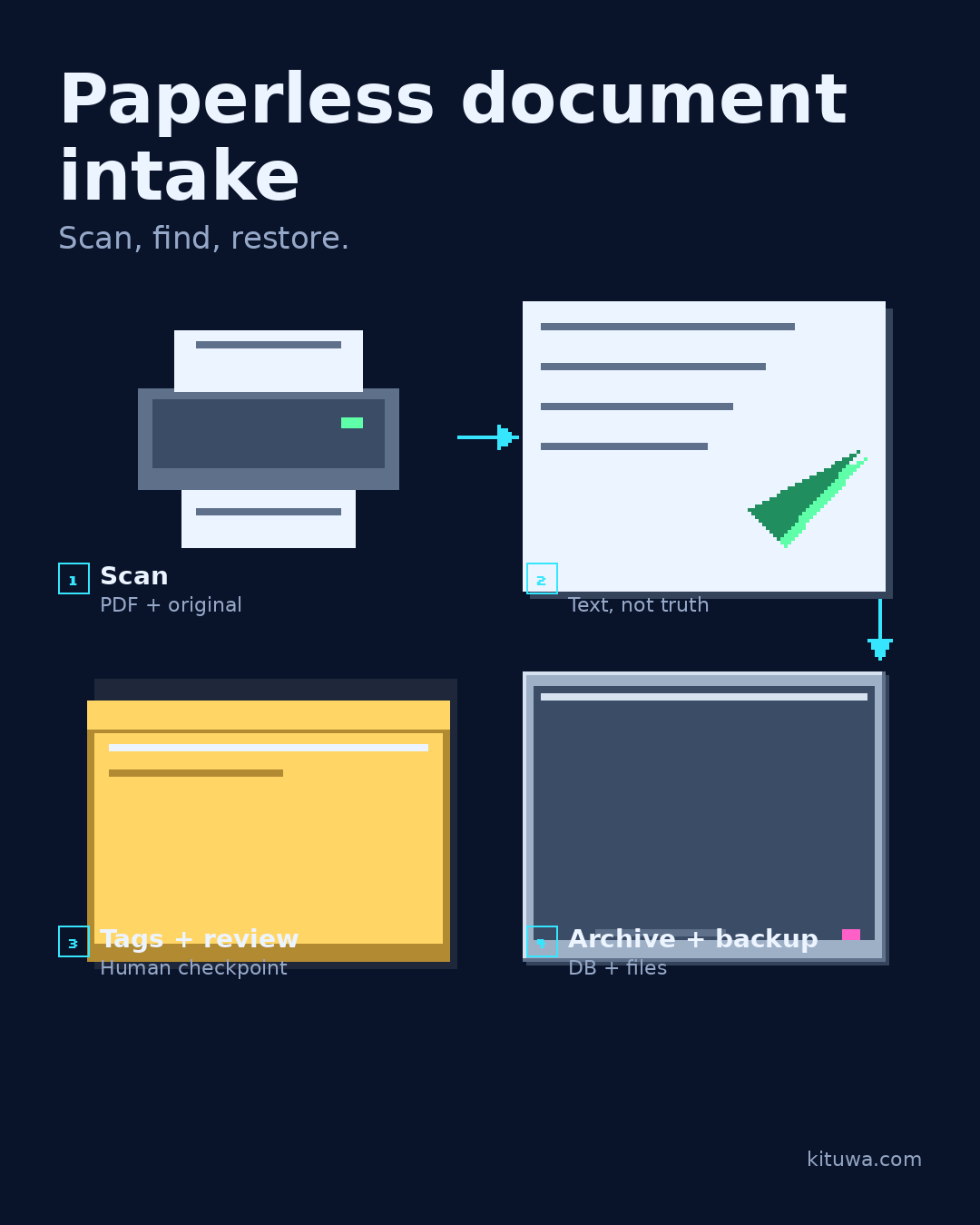
Paperless-ngx turns scanned documents into a searchable archive. The intake workflow matters as much as the software.
This guide expands the Facebook post into a practical workflow for beginners, home-lab users, and small-business owners who want to understand the trade-offs before changing a working system.
What this guide covers
- Paperless document intake
- Scan, find, restore.
- 1 Scan — PDF + original
- 2 OCR — Text, not truth
- 3 Tags + review — Human checkpoint
- 4 Archive + backup — DB + files
Why it matters
The goal is not to memorize a product name or copy a command blindly. It is to understand what the change affects, verify it against an official reference, test it on spare hardware or a virtual machine when possible, and keep a rollback path.
A practical walkthrough
Protect the data first
A safe sequence: scan to PDF, let OCR extract text, add correspondents/tags/document types, set a retention rule, and back up the database plus the original files. Keep the original PDF alongside the OCR text; the searchable layer is a convenience, not the record. Test a restore of both the database and one original file. Check one document end to end: can you find it by a word in the text, open the original, and restore it from backup?
Protect the data first
Decide what not to scan: passwords, recovery codes, and documents you are legally required to keep in a specific format. Encrypt backups and restrict access.
Step 3: what to check
Start with a small box of documents. Do not feed the whole filing cabinet in until the workflow is boring and repeatable.
Your turn
What is the first document you would test?
What to verify
- Use the official documentation for the exact version you run.
- Test on a spare device or virtual machine before changing a working system.
- Keep a backup and a rollback path.
- Record what changed and how you verified it.
Common mistakes
- Changing more than one thing at a time.
- Skipping the official documentation for your version.
- Assuming a warning means you should delete or reset data.
- Not recording what you changed or how you verified it.
Quick checklist
- ☐ Scan, find, restore.
- ☐ 1 Scan — PDF + original
- ☐ 2 OCR — Text, not truth
- ☐ 3 Tags + review — Human checkpoint
- ☐ 4 Archive + backup — DB + files
FAQ
What is the first step?
Paperless-ngx turns scanned documents into a searchable archive.
What should I avoid?
Changing more than one thing at a time.
Where can I verify the current details?
Use the official references below; versions and interfaces change.
References
Related guides
- Immich: photo organization with responsibilities
- Which subscription is worth keeping?
- Password managers: hosted vs self-hosted
Need help?
If you want a second opinion on the setup or the rollback plan, Kituwa can review it with you. Start with the checklist above; it makes the conversation more useful.